Per-file SHA-256 verification, with an exportable report. Use a separate physical disk for your second copy.

FROM MEMORY CARD TO SELECTS / MAC NATIVE
Open a folder.Stay with the photo.
From memory card to work disk, from first picks to delivery. Verified imports, project-based culling and on-device AI denoising in one focused workspace. Or simply open a folder and begin.
- 01
- Import and verify
- 02
- Projects and RAW review
- 03
- AI denoising on your Mac
A WORKSPACE THAT DISAPPEARS
Less interface.
More room to decide.
Give every shoot a clear beginning and a place to return to. Keep verification records as you import and pick up your project where you left off. Browse, compare, denoise and deliver without building a global library or changing your folder habits.
01 / A VERIFIED START
Bring photos home.
Keep peace of mind.
Preview a card or folder, then choose your work disk. Every copied file is read back and verified. Add a second copy on another volume when you need one; it is verified independently. Your source photos stay intact.
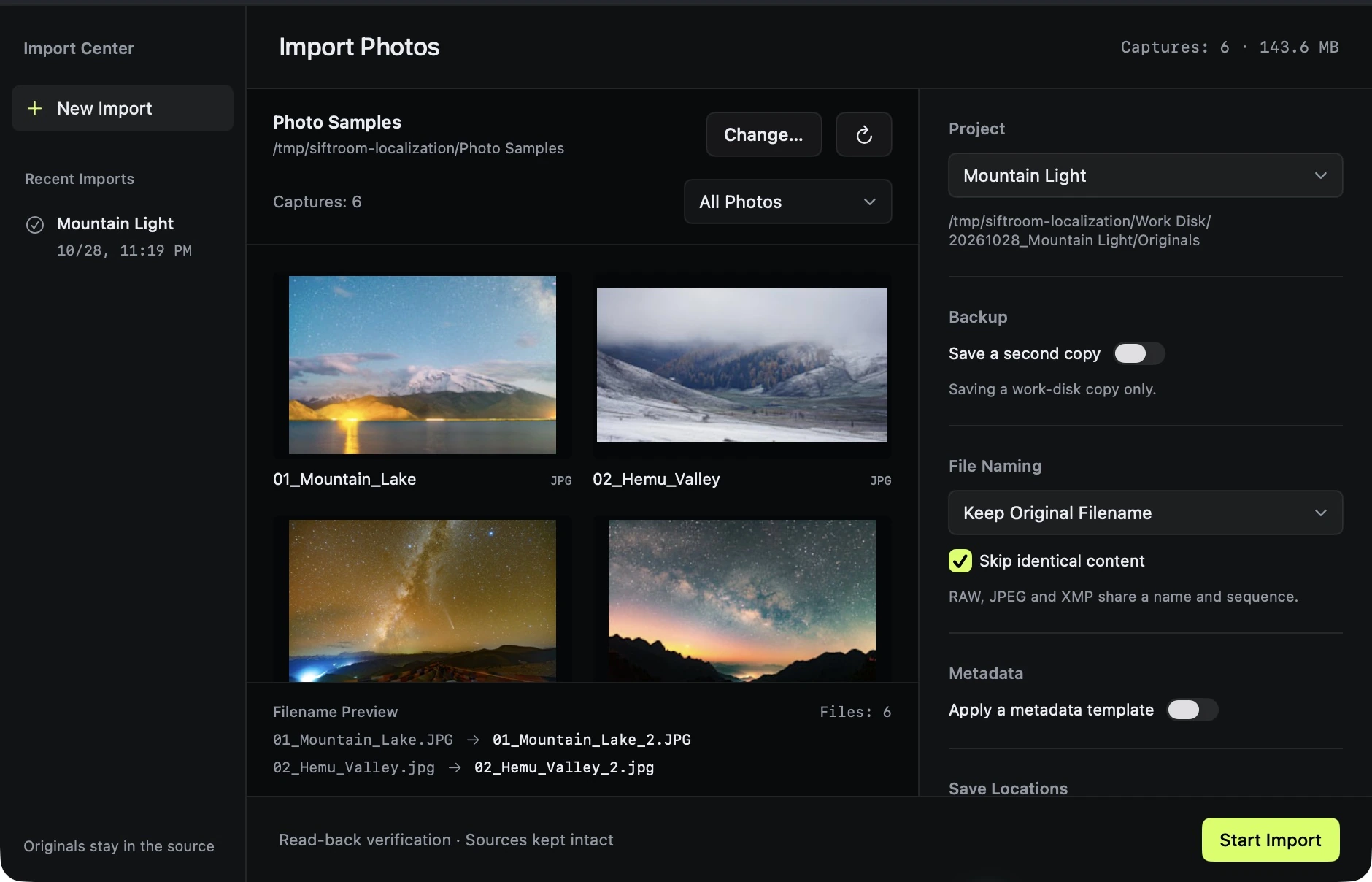
Pause or quit, then resume from import history. Start culling primary files that have already passed verification.
Rename RAW, JPEG and XMP groups together. Save creator, copyright and keywords in metadata templates, and skip identical content.
02 / A PLACE FOR EACH SHOOT
Come back tomorrow.
Continue today's decisions.
Keep each shoot in its own project, with flags, edits, analysis and your last viewed photo. Relocate the project after moving its folder. Opening a folder directly is always an option.
About imports and projects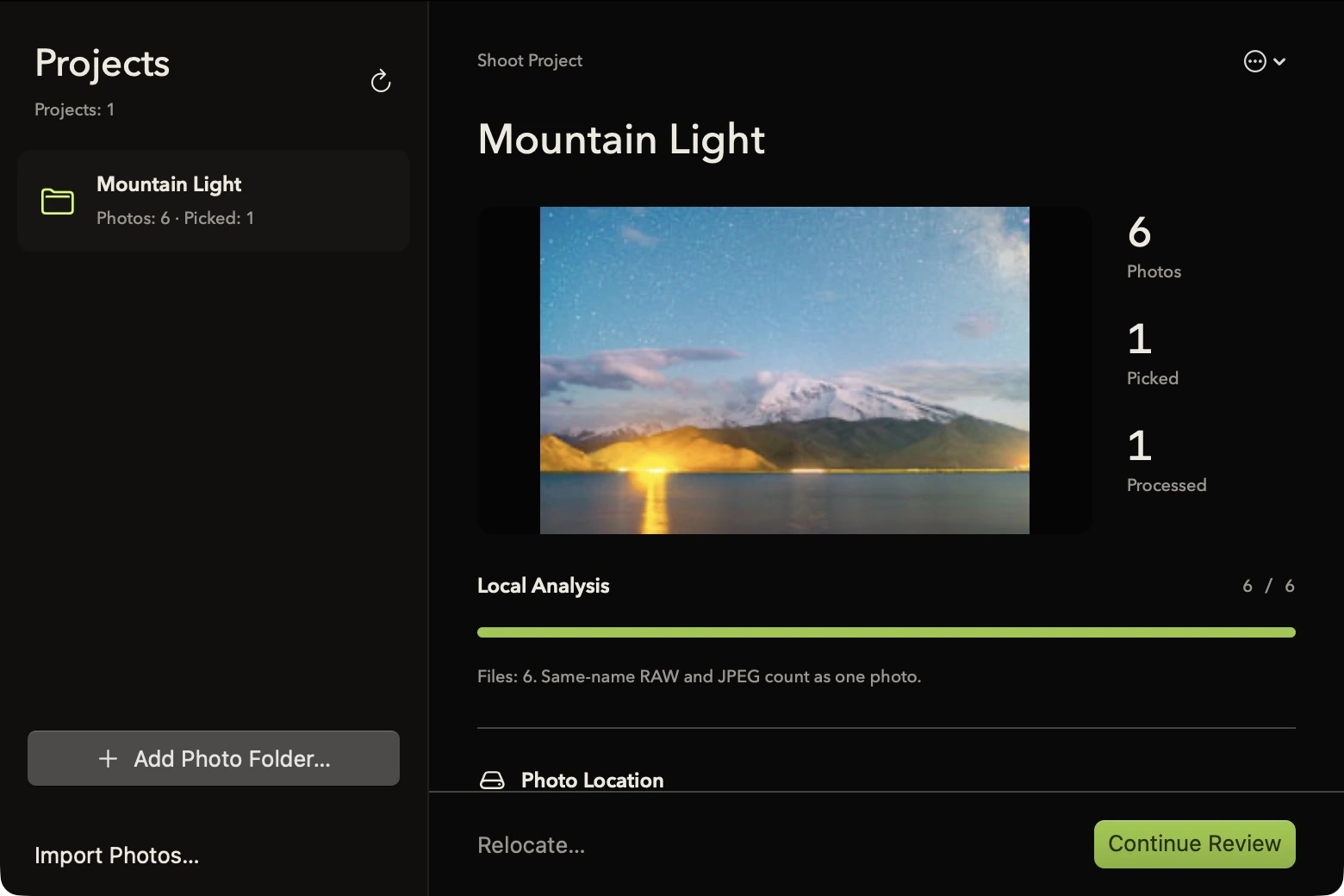
03 / KEYBOARD-FIRST
Keep your review moving
Browse with arrow keys. P to pick, X to reject; press again to clear. U clears a flag. Command- or Shift-select a group to apply ratings, labels and adjustments together.
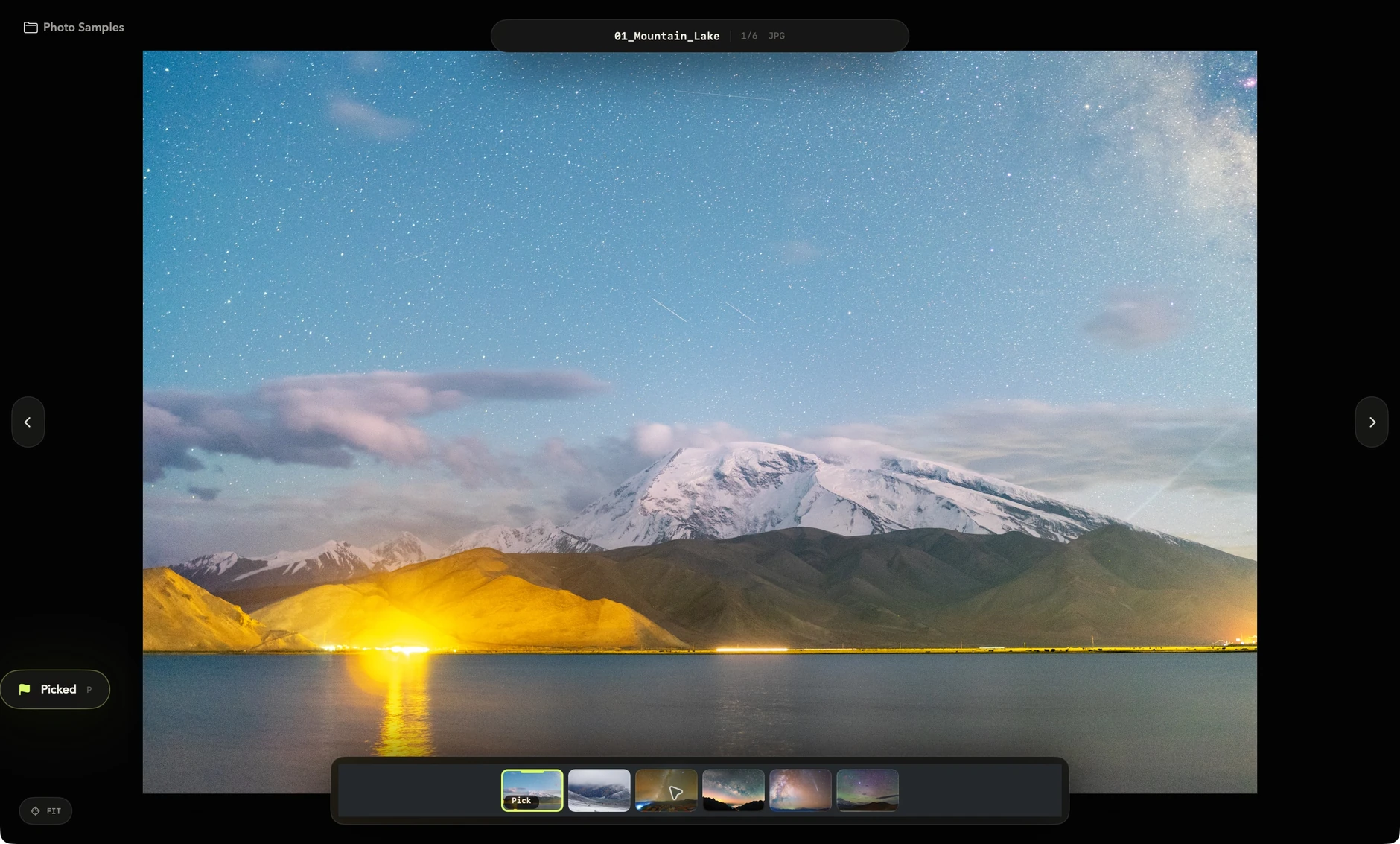
A flag is a reversible decision, not a one-way command.
The filmstrip keeps its momentum and spatial context, without forcing every photo to the center.
Review, adjust or remove a group with a clear undo history.
04 / PHOTOGRAPHIC PROCESS
More than richer color.
A better balance of light.
Contrast works around the image's own midtone pivot. Highlights, shadows, whites and blacks target different tonal regions, while color adjustments protect luminance and skin tones. Keep the original depth as you bring a shoot together.
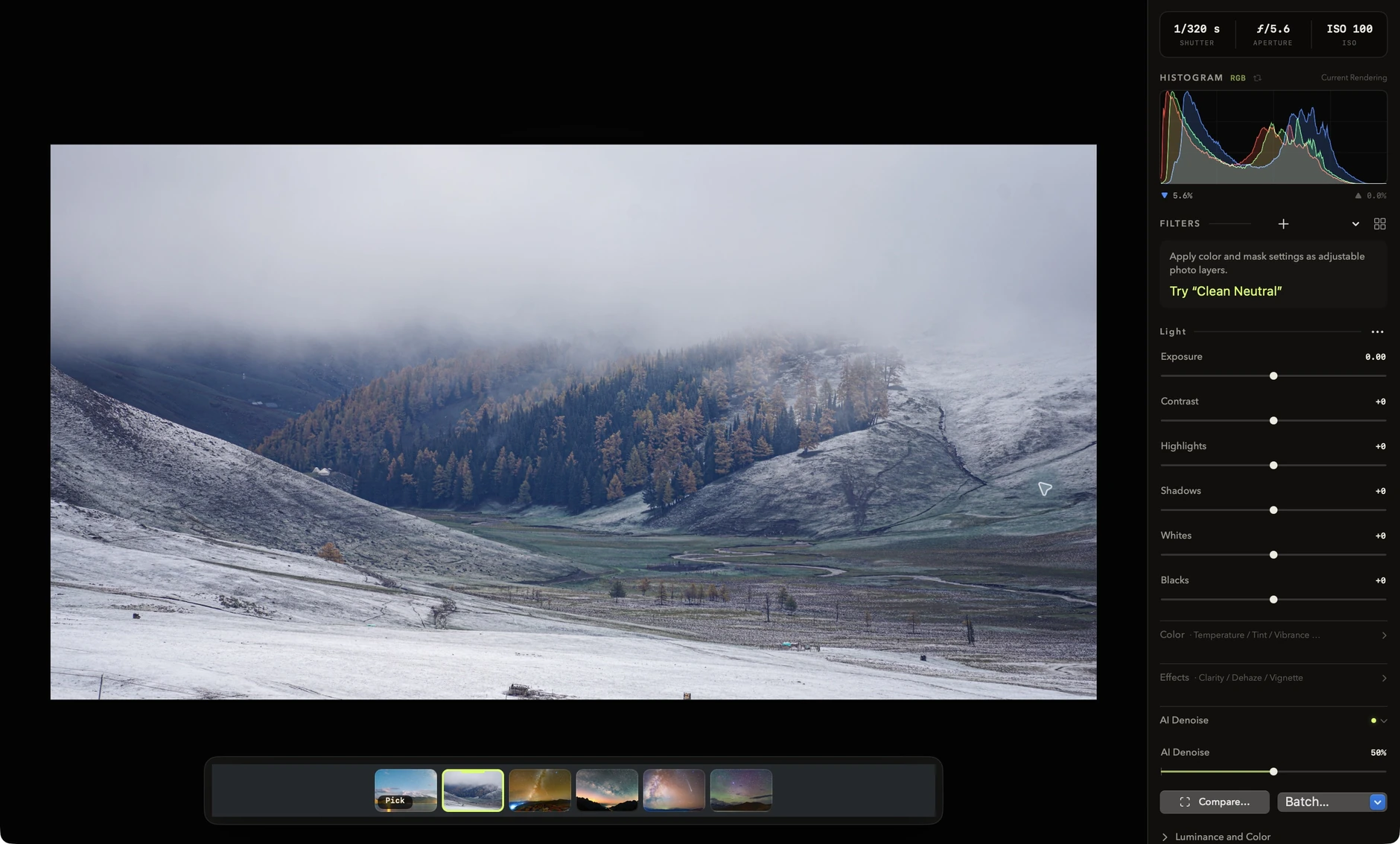
EXPOSURECONTRASTHIGHLIGHTSSHADOWSWHITE BALANCEVIBRANCECLARITYDEHAZENOISE REDUCTIONSHARPENEXPOSURECONTRAST
05 / ON-DEVICE AI DENOISE
Less noise.
Your eye decides.
The model is built into the app and processes photos on this Mac. Enable denoising, then inspect native-pixel detail. Adjust strength, luminance and color noise until the texture feels right.
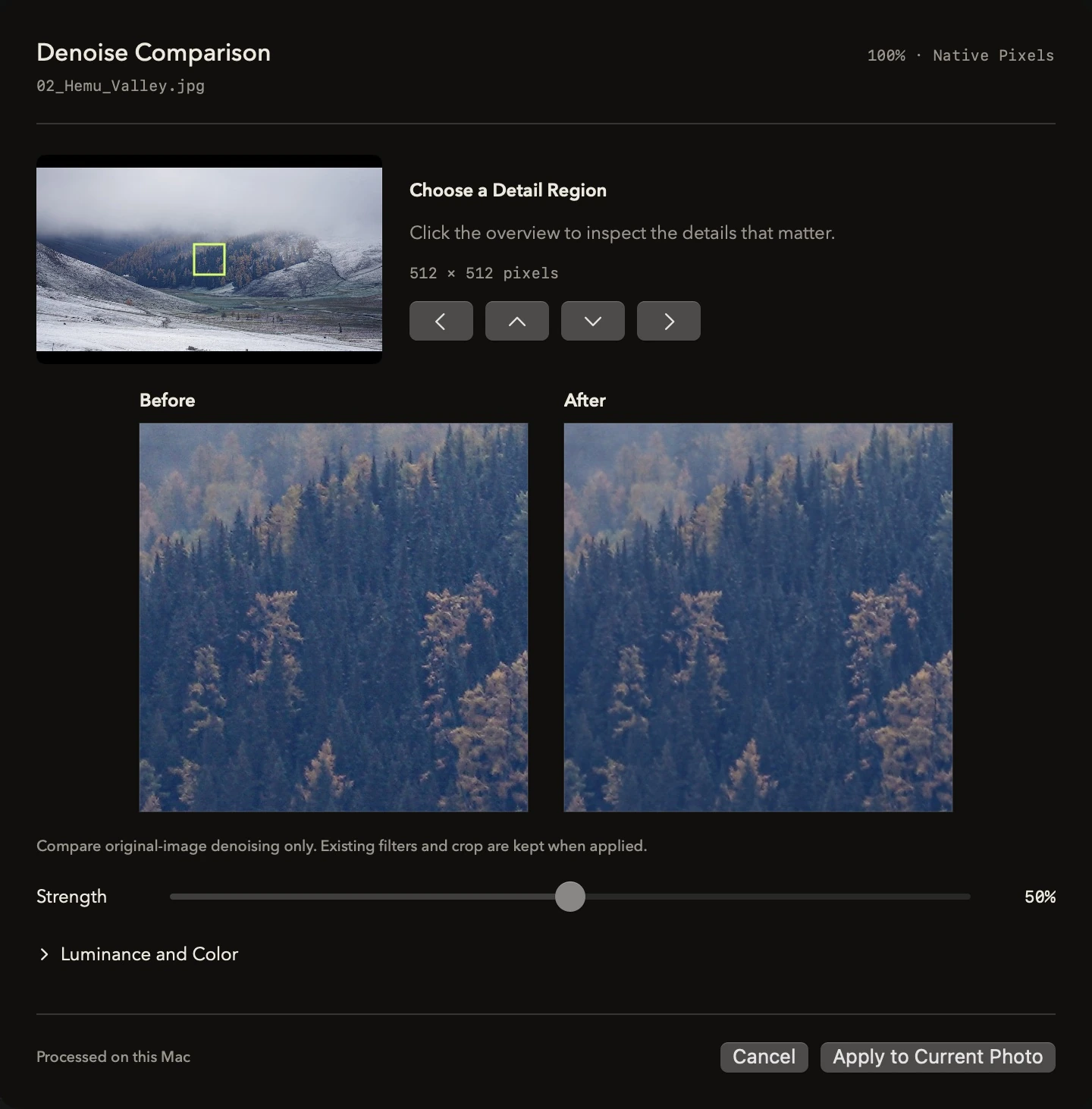
Once you are happy, copy the settings to picked photos or process and export the set.
Results vary with the source and noise. Compare at 100% to choose the right strength for each photo.
06 / LOCAL FILTER LAB
Your look.
In a single file.
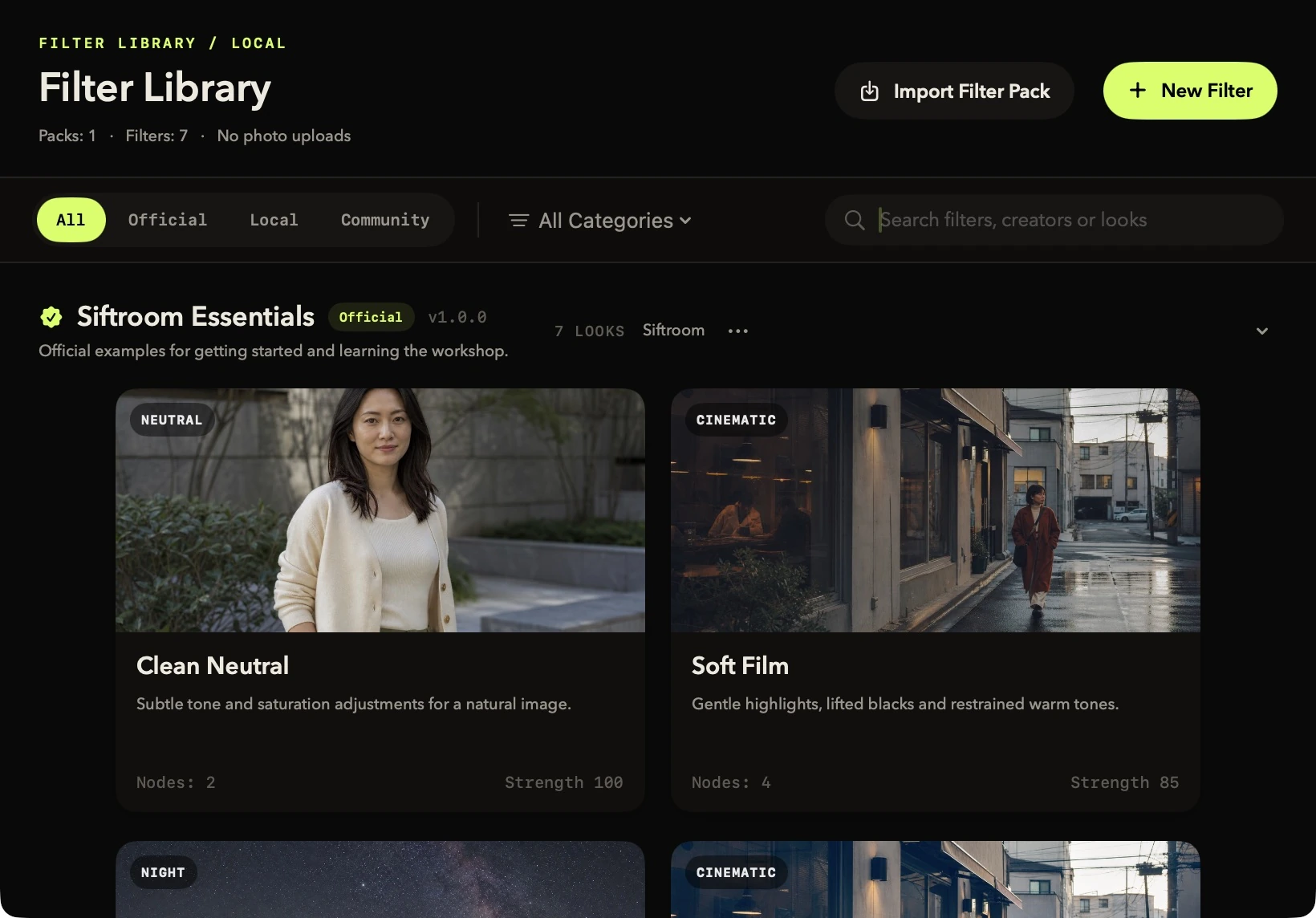
Import .siftfilterpack to apply RGB and mask-based filters. Packs contain declarative parameters and assets, never executable third-party code. Build and export your own in the workshop, then share the file wherever you like.
- Seven official examples, with real rendered previews
- Linear, radial, luminance, color and brush masks
- An individual keyboard shortcut for every filter
07 / COMPARE MODE
Which one is sharper?
See them side by side.
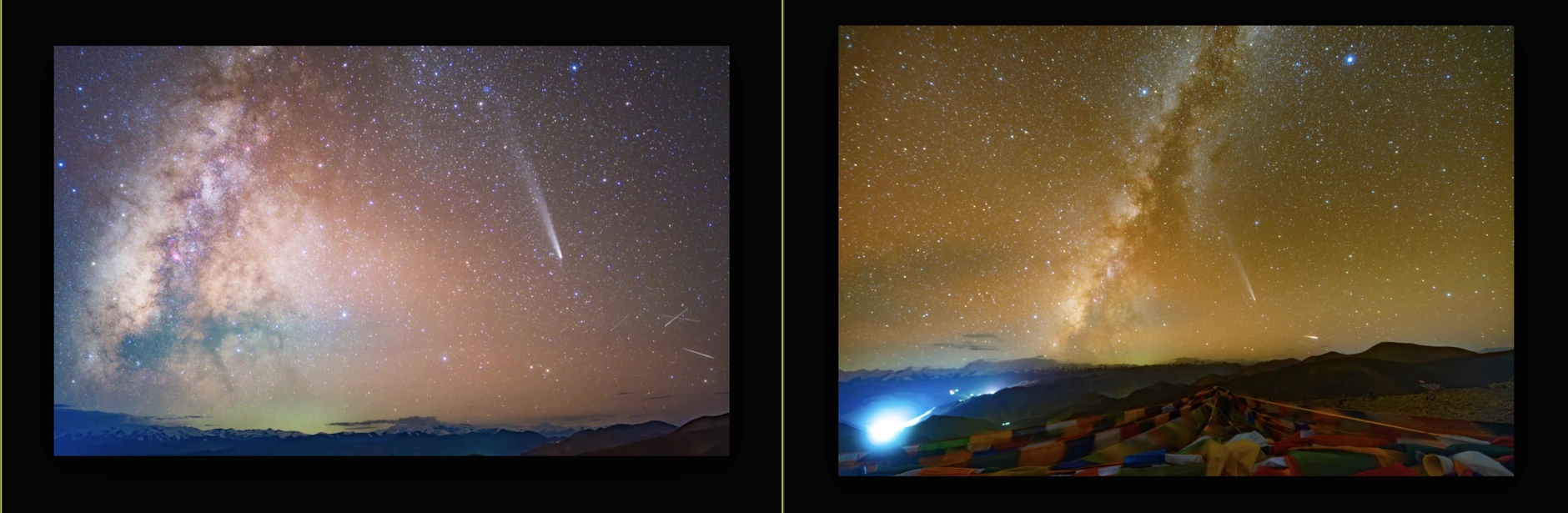
Press C for a focused two-up comparison. Zoom and pan both photos together, or jump to faces and eyes. Review a burst without relying on a fleeting memory of the previous frame.
- Linked 100% inspection
- Face and eye focus
- Focus peaking
08 / PRIVATE INTELLIGENCE
Group the similar frames.
Keep your photos on Mac.
Vision analyzes similarity, bursts, faces and eyes locally, then provides a readable sharpness order within each group. Fold similar photos into fewer decisions and reuse analysis in your projects. Originals are never uploaded.
Read the privacy policy0Photo uploads
0Third-party tracking
100%On-device analysis
09 / RULE-BASED DELIVERY
Selected.
Deliver on your terms.
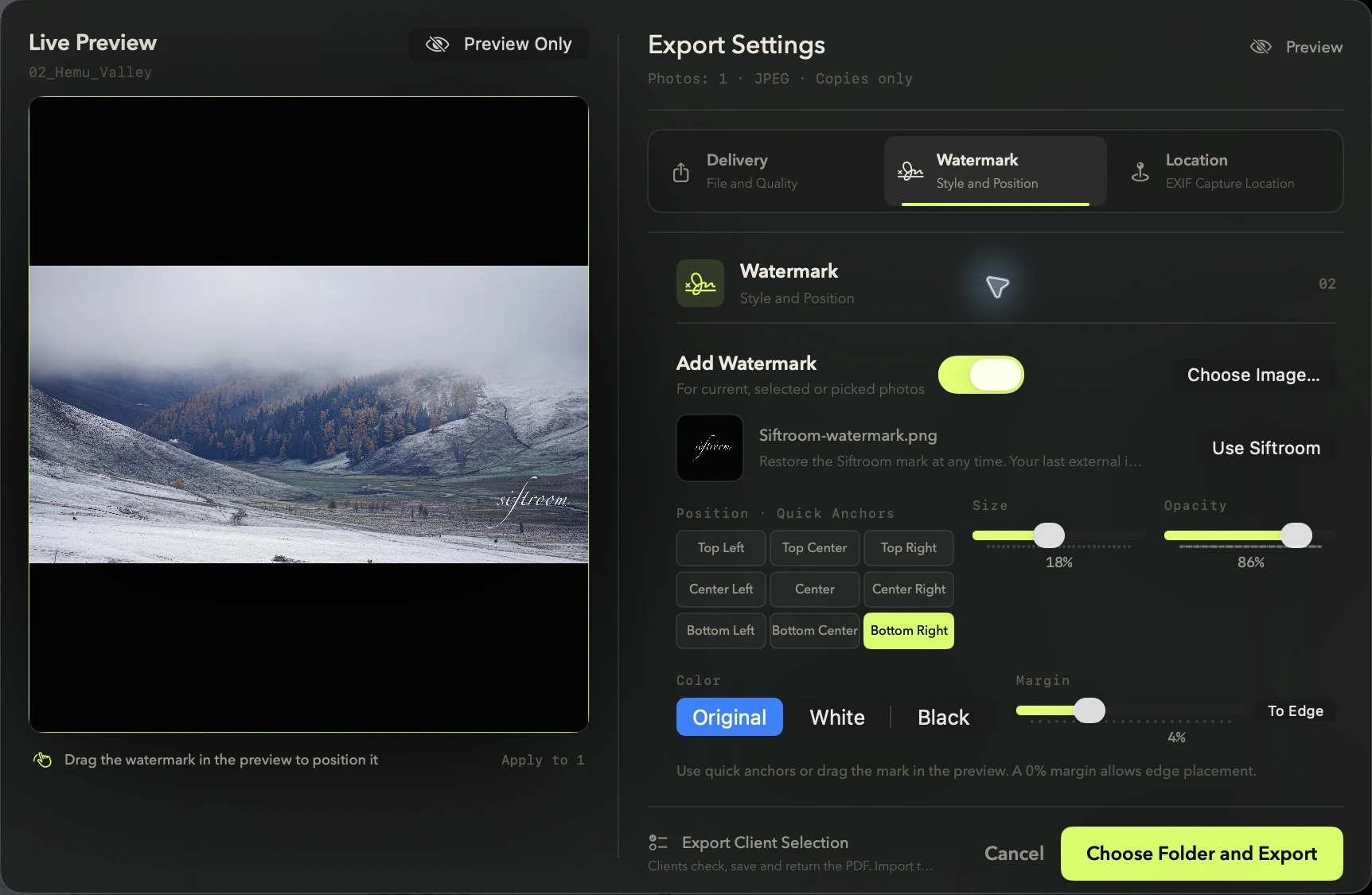
Batch-export JPEG with your chosen quality, longest edge and color space. Combine a base name with a padded sequence and preview filenames before exporting. Press ⌘⇧W to add a signature watermark. For client picks, send a checkable PDF and import the returned selection.
Travel_Selects_0001.jpg
- Use the Siftroom signature or your own watermark image
- Live preview, free positioning and nine quick anchors
- Change watermark color, remember settings and export with ⌘⇧W
- Search a place or select a map point to add GPS to exported copies
- Client selection uses a PDF, with no website, account or technical files required
SIFTROOM FOR MAC
More time for photos.
Less time waiting.
RAW, JPEG, PNG, HEIF and TIFF photos. For Apple-silicon Macs running macOS 14 or later.